Unpublishing a Landing Page

Brian Childress
Written by Brian ChildressLast updated 20 days ago

The need to unpublish a landing page might come as means of further editing or simply for testing purposes on a Landing Page.
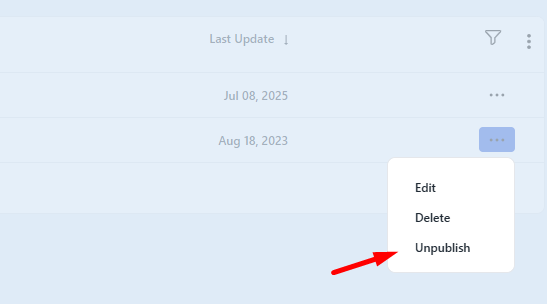
image.png

To Unpublish a Landing Page is easy, you just need to click on the 3 dots icon on the right side then click on unpublish and the status will change to Unpublished. This way your template is no longer online.

See also:

Using Landing Pages To Collect Subscribers

Delete a Landing Page

Edit Landing Page Name

Publishing a Landing Page

Landing Pages Editor

Design your Landing Page

Create a landing page

Landing Pages Overview

Website Domains Overview


Did this article help you solve your issue?

DirectIQ - Help Center

© 2026 DirectIQ - Help Center. All rights reserved.