If you want to temporarily stop receiving events without deleting the webhook, you can deactivate it.
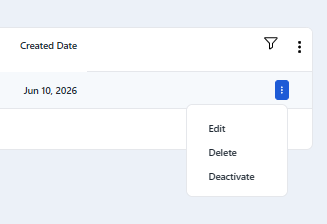
To do this, open the three-dot (⋮) menu and select Deactivate.
When a webhook is deactivated:
No events will be sent to the endpoint
The configuration is preserved
You can reactivate it at any time without losing settings
This is useful for debugging, maintenance, or temporary downtime on your endpoint.
See Also: